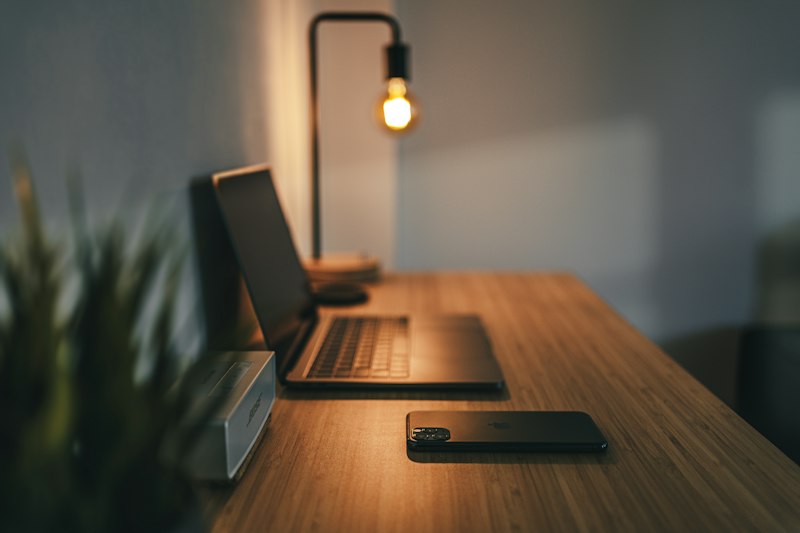
Working from home can be amazing when your space actually helps you focus. The good news? You do not need a designer office or a giant paycheck to build a setup that feels comfortable, looks clean, and keeps you productive. With a little planning, you can create a home office that works for real life, whether you’re answering emails, jumping on Zoom calls, or powering through a full workday.
The trick is to buy in the right order. Start with comfort and function, then add the extras that make your day easier. If you’re deciding where to spend and where to save, this guide will help you build a smart setup at almost any budget. And if you like finding affordable upgrades, you may also enjoy our guides to Best Running Shoes for Every Budget in 2025 and How to Choose the Right Air Purifier for Your Home.
Start with the right desk
Your desk is the foundation of the whole setup, so think about how you work. A compact desk is perfect if you only need space for a laptop, notebook, and coffee mug. A standing desk is great if you want flexibility and tend to feel stiff after sitting too long. An L-shaped desk can be a game changer if you need room for a monitor, printer, and a second zone for paperwork or creative work.
If your budget is tight, don’t overlook simple options like folding desks, wall-mounted desks, or even a sturdy table that you already own. The goal is to get a surface that matches your space and your habits. A cheap desk that fits perfectly is better than an expensive one that overwhelms the room.
What to look for in a budget desk
- Stability: If it wobbles, it will annoy you every day.
- Depth: Make sure there’s enough room for your screen and keyboard.
- Storage: Drawers are nice, but shelves or bins can work too.
- Size: Measure before you buy so you do not block outlets or walkways.
Choose a chair that supports you
A budget chair can still be comfortable if you know what to prioritize. Look for adjustable height, decent lumbar support, and a seat that doesn’t feel like a brick. Mesh backs are popular because they breathe better during long work sessions. If possible, test the chair in person or read reviews from people who sit in it for hours, not just ten minutes.
If you already have a chair that is fine but not great, a lumbar pillow or seat cushion can be a surprisingly cheap fix. That small upgrade can buy you time before you need to invest in a higher-end chair. In other words: don’t rush this purchase, but don’t ignore it either.
Monitor vs. laptop screen: which one matters more?
If you work on a laptop all day, your neck will probably let you know pretty quickly. A separate monitor can make a huge difference in comfort and productivity. Even a single affordable monitor helps because it puts the screen at eye level and gives you more room to multitask. If you’re on a tighter budget, a laptop stand can help too, especially when paired with an external keyboard and mouse.
For many people, the best starter combo is simple: raise the laptop, add a keyboard, add a mouse. Then upgrade to a monitor when you can. If your work involves spreadsheets, design, or constant tab switching, a monitor may become your best purchase of the year.
Keyboard and mouse essentials
This is one area where a little spending goes a long way. A comfortable keyboard and mouse reduce strain and help you work faster. You do not need a flashy gaming setup. Instead, look for keys that feel good, a mouse that fits your hand, and wireless options if cable clutter drives you crazy.
Try to match the tools to your desk style. If you move around a lot, wireless is worth it. If you like a clean look, compact keyboards save space. If you spend your day clicking and typing, comfort should win over aesthetics every time.
Lighting, organization, and cable management
Great lighting can make a cheap office feel polished. Natural light is ideal, but a simple desk lamp or ring-style task light can brighten your space and make video calls look better. If your room feels dark in the afternoon, warm LED bulbs can make a surprising difference without costing much.
Organization matters just as much. A small drawer organizer, file holder, or desktop tray can keep clutter from taking over. Cable management is another tiny upgrade with a big payoff. Velcro straps, cable clips, and adhesive sleeves are inexpensive, but they instantly make a setup feel more intentional.
Small decor that boosts focus
You do not need to decorate like a magazine spread. One plant, one framed print, or one color you love can make your office feel like a place you want to be. A little personality goes a long way. A cactus, a low-light pothos, or a simple desk mat can soften the look of the room without distracting you.
Budget tiers that actually make sense
Here is an easy way to think about your spending, depending on what you need right now.
- Under $200: Focus on the basics. Buy or repurpose a desk, add a budget chair or cushion, use your laptop, and get a lamp plus a few cable organizers.
- $200-$500: Add an external keyboard and mouse, a laptop stand or monitor, a better chair, and storage that keeps your desk clean.
- $500-$1000: Invest in a quality desk, a real ergonomic chair, a nice monitor, upgraded lighting, and accessories that make the space feel complete.
The best setup is the one you can actually use every day. Spending more does not automatically make you more productive, but buying the right thing at the right time definitely helps.
Final thoughts
Building a productive home office on a budget is mostly about making smart tradeoffs. Start with the items that affect your posture and workflow first, then add comfort and style once the basics are covered. A stable desk, supportive chair, good lighting, and a few organizing tools can transform your workday more than you might expect.
If you want to keep improving your home and lifestyle setup, check out How to Choose the Right Air Purifier for Your Home and How to Build a Capsule Wardrobe on Any Budget for more budget-friendly ideas that make everyday life easier.